
localhost:

Keyboard shortcuts

The command palette and every shortcut.
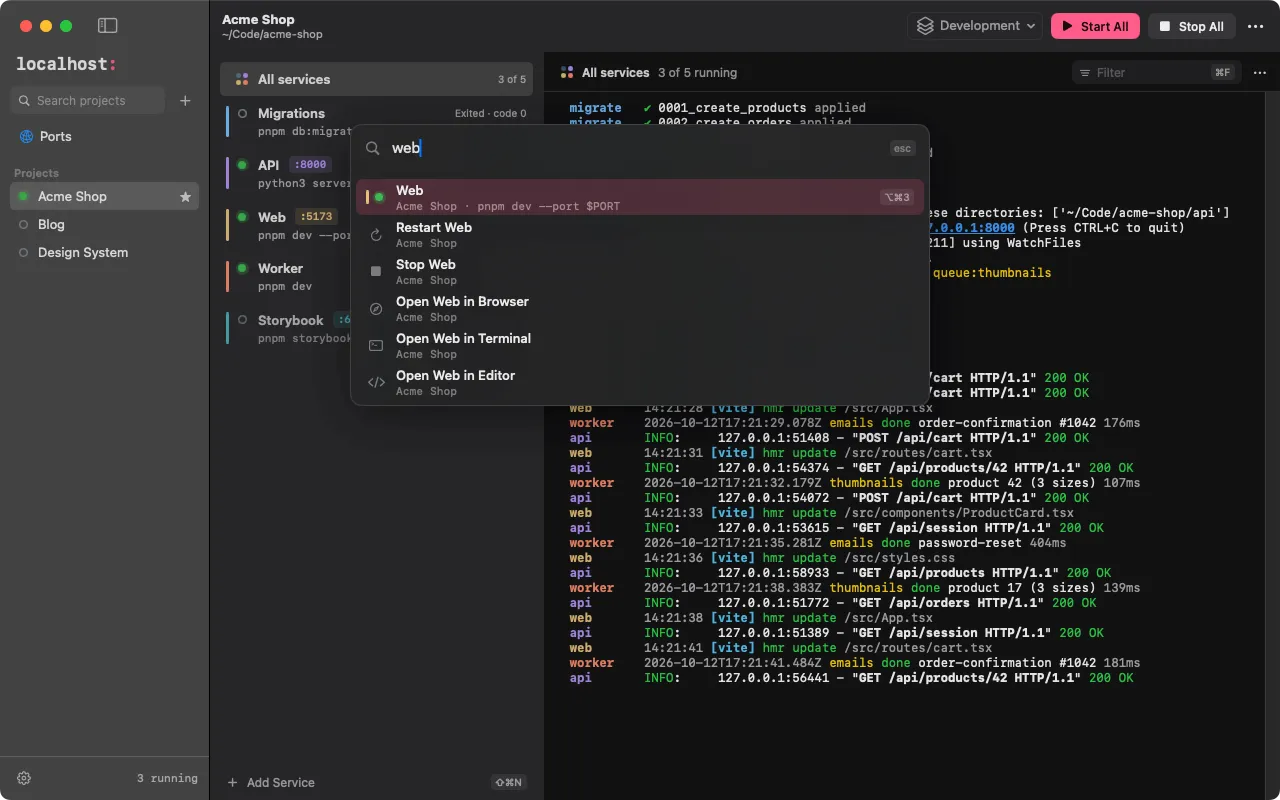
The ⌘K command palette searching “web”: jump to the Web Service, or restart, stop or open it

macOS Linux, Windows
Command palette: jump to anything, run any action ⌘K Ctrl+K
New Project / New Service ⌘N / ⇧⌘N Ctrl+N / Ctrl+Shift+N
Start or restart / stop the selected Service ⌘R / ⌘. Ctrl+R / Ctrl+.
Start All / Stop All in the Project ⇧⌘R / ⇧⌘. Ctrl+Shift+R / Ctrl+Shift+.
Open the Service’s URL ⇧⌘O Ctrl+Shift+O
Filter / clear the log ⌘F / ⌃L Ctrl+F / Ctrl+L
Open the folder in Terminal / your editor / Finder ⌥⌘T / ⌥⌘E / ⌥⌘F from the folder’s menu
Projects 1–9, Ports ⌘1–9, ⌘0 Ctrl+1–9, Ctrl+0
Services 1–9; previous / next Service ⌥⌘1–9, ⌘[ / ⌘] Ctrl+Alt+1–9, Ctrl+[ / Ctrl+]
Move between the sidebar, the Services and the log ← → ↑ ↓ ← → ↑ ↓
Settings / all shortcuts ⌘, / ⌘/ Ctrl+, / Ctrl+/

Hold ⌘ (Ctrl) for a moment to see the Projects’ numbers, or ⌥⌘ (Ctrl+Alt) for the Services’. On macOS every action is also in the menus, so menu search (⇧⌘/) finds it.

Edit this page on GitHub

Install localhost for macOS

Two quick steps, usually under a minute.

  1. Drag it to Applications

    Open localhost-<version>.dmg and drag localhost to Applications.

    Download localhost-<version>.dmg
  2. Open it the first time

    localhost isn’t notarized by Apple yet, so macOS blocks the first launch once:

    1. Click Done in the warning.
    2. Open System Settings › Privacy & Security and scroll to Security.
    3. Click Open Anyway, and confirm with your password or Touch ID.

    Or run this in Terminal, then open localhost:

    xattr -dr com.apple.quarantine /Applications/localhost.app

macOS 15 or later · Apple silicon or Intel

  1. Run the installer

    Open localhost_<version>_x64-setup.exe. It installs for your user only, no administrator rights needed.

    Download localhost_<version>_x64-setup.exe
  2. Get past SmartScreen

    The installer isn’t signed by a known publisher yet, so Windows says “Windows protected your PC”:

    1. Click More info.
    2. Check that the file is localhost_<version>_x64-setup.exe.
    3. Click Run anyway.

Windows 10 or 11 · x64 · WSL 2 for Projects in WSL

  1. Download your package

  2. Install it

    From the folder you downloaded it to:

    sudo apt install ./localhost-app_<version>_amd64.deb
    sudo dnf install ./localhost-app-<version>-1.x86_64.rpm
    chmod +x localhost-app_<version>_amd64.AppImage && ./localhost-app_<version>_amd64.AppImage

    Secrets need a Secret Service (GNOME Keyring, KWallet). On stock GNOME the tray icon needs the AppIndicator extension.

x86_64 · Ubuntu 22.04+ · Debian 12+ · Fedora

On another system?Install guide →