
Introduction
What localhost is, and the few words it uses.
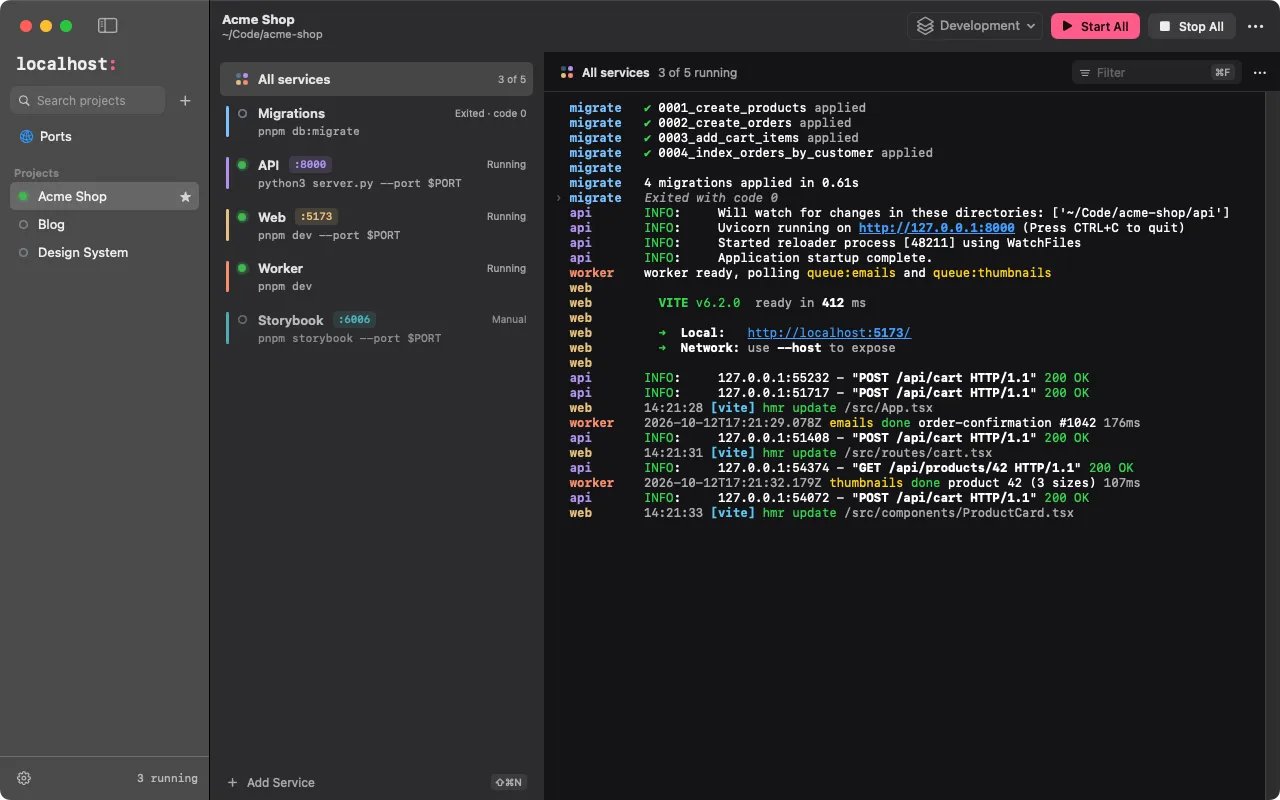
localhost remembers how each of your local development projects runs, and lets you start, stop and watch all of its Services from one place, instead of a row of terminal tabs.
A Project is a folder. A Service is one long-running command in it: pnpm dev, uv run fastapi dev, docker compose up postgres, cargo run. localhost doesn’t care what the command is: it runs it in your shell, keeps its output, knows when it is up, and stops its whole process tree when you ask.
What it does
- One place for every project: Start All / Stop All, Dependencies between Services (the API waits for the database), one merged log of every Service.
- Ports that make sense: a Service counts as Running once its Port accepts connections. If the Port is taken, localhost says by whom and can start the Service on the next free one. The Ports view lists everything listening on your machine, whoever started it.
- Environment without
.envjuggling: variables on the Project, on each Service and in Environment Profiles (Development, Testing, …). Any variable can be a Secret, kept in your system’s secret store. - Set up in seconds: point it at a folder and it suggests Services from
package.jsonscripts, Compose files, Python apps and Cargo binaries. You review every suggestion; nothing is applied silently. - Keyboard first: a command palette, a shortcut for every action, arrow keys across the window. Screen readers, light and dark, reduced motion.
- Local: no account, no cloud, works offline. Configuration lives in localhost’s own storage, never in your project folders.
A native SwiftUI app on macOS with a menu bar companion; one app for Linux and Windows with a tray icon. On Windows, Projects run on Windows itself or inside WSL.
The words it uses
| Word | Meaning |
|---|---|
| Project | One local project, rooted at a folder, grouping the Services you need to work on it. |
| Service | One long-running command of a Project: working directory, command line, environment. |
| Key | A Project’s or Service’s short, stable handle (my-saas, api), used in logs and by the command line. |
| Port | The one TCP port a Service is expected to listen on. It decides when the Service is Running. |
| Dependency | A Service that must be Running, or have Exited, before another one starts. |
| Environment Profile | A named set of variables (Development, Testing) for a whole Project; at most one is active. |
| Secret | A variable whose value lives in your system’s secret store. |
| Run | One execution of a Service, from launch until every process it started has ended. |
Next: install localhost, then add your first Project.